
In this article, I present the possibilities of using a vertical taskbar in Windows 11 through the example of my own software, Large System Tray Clock. The purpose of this article is to inform readers about the available methods for implementing a vertical taskbar in Windows 11 and the associated risks.
Earlier versions of Large System Tray Clock were designed to work only with a horizontal taskbar. The reason is that in Windows 11 the taskbar can officially be positioned only at the bottom of the primary screen in a horizontal layout. Microsoft has significantly restricted taskbar customization options in Windows 11.
In Windows 10, the taskbar is highly customizable and can also be configured for vertical layout. In vertical mode, the taskbar can be placed on the left or right side of the screen.
Official support for Windows 10 ended on October 14, 2025. In Europe, security updates may remain available until October 2026 (and in certain special cases even longer). The key point is that Windows 10 is now officially a phased-out operating system. Therefore, developments that support only Windows 10 have limited long-term relevance. For this reason, vertical mode was previously not implemented in this software.
At user request, additional development work has now been completed so that Large System Tray Clock also works properly with a vertical taskbar. Under Windows 10 it functions correctly. The software automatically detects the taskbar orientation and displays the current time accordingly.
Under Windows 11, vertical taskbar layout is not officially supported due to Microsoft restrictions. Independent developers provide various taskbar extensions or replacement solutions. These tools integrate into the system at different depths and offer varying levels of compatibility and stability. They can be divided into two main categories:
- Alternative taskbar tools or taskbar-enhancement software (for example Windhawk and Start11). These do not integrate deeply into the Windows shell. They allow only limited vertical taskbar behavior. In this context, “limited” means they do not expose the required development interfaces. With these tools, Large System Tray Clock and other taskbar-dependent software will not function correctly or will not function at all.
- Deep shell-integration tools (for example StartAllBack and ExplorerPatcher). These enable vertical taskbar layouts and Large System Tray Clock works correctly with them. They expose the required development elements (the Shell_TrayWnd and TrayNotifyWnd window classes). Because these tools integrate deeply into the system, they may cause stability issues, and unexpected problems can occur after Windows updates. Continuous maintenance and updates are required from both developers and users.
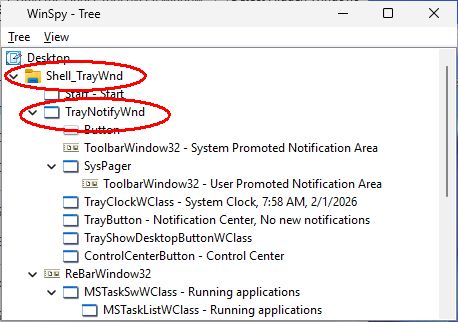
This article was published on January 30, 2026. The information described in this article is based on the author’s (Peter Panisz) experience and is valid at the time of publication. The software mentioned in this article should be downloaded and used at the user’s own risk.
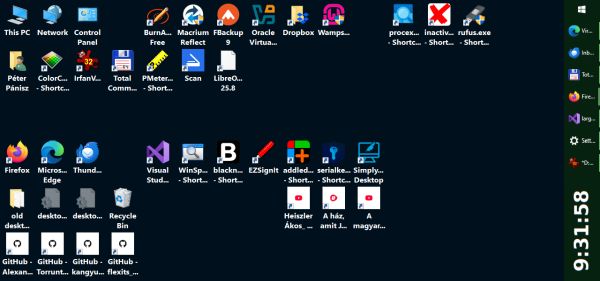
Vertical Taskbar and Large System Tray Clock - Win10 [1]
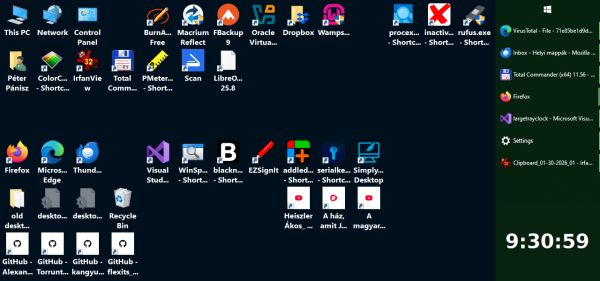
Vertical Taskbar and Large System Tray Clock - Win10 [2]
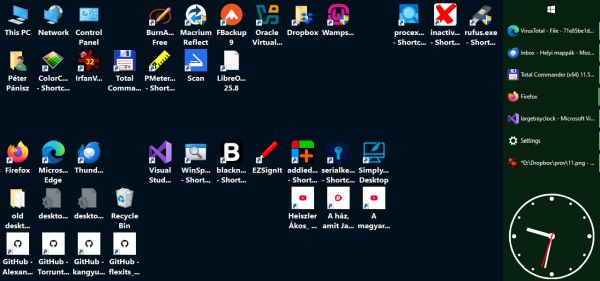
Vertical Taskbar and Large System Tray Clock - Win10 [3]
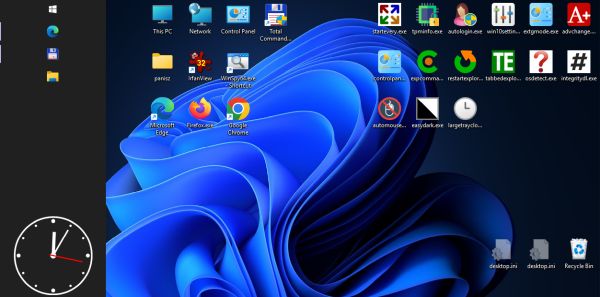
Vertical Taskbar and Large System Tray Clock - Win11 [1]
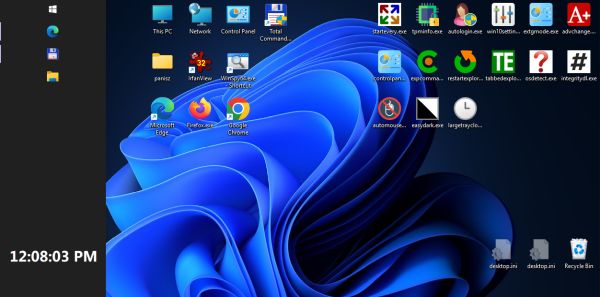
Vertical Taskbar and Large System Tray Clock - Win11 [2]